
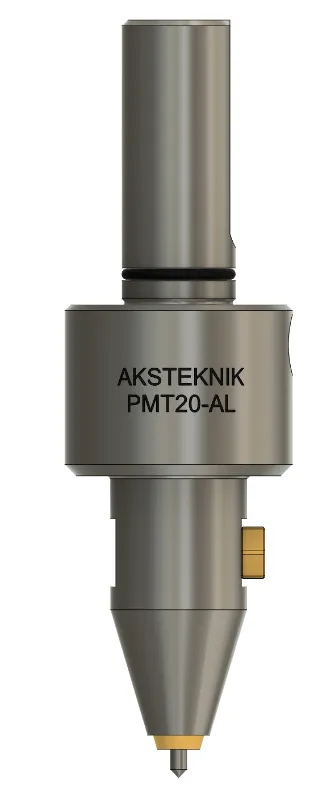
PMT20AL Pneumatic Dot Peen Marking Tool
Air-driven micro-percussion marking tool for CNC machining centres. Automatic distance compensation, marks up to 60–62 HRC, two air inlets — rear or lateral connection.
- Automatic in-process marking — no separate marking step required
- Marks curved, uneven, and rough cast surfaces with up to 5 mm distance compensation
- Works on all machinable metals up to 60–62 HRC
- Two air inlets — rear or lateral connection to fit any machine configuration
- Compatible with all CNC control systems
Overview
In-Process Dot Peen Marking — Automatic, Permanent, Wear-Free
PMT20AL is a pneumatic dot peen marking tool designed for automatic workpiece marking directly inside CNC machining centres and automatic lathes. The tool sits in the automatic tool change magazine like any other cutting tool — when called by the CNC programme, it marks each workpiece with serial numbers, date codes, logos, part IDs, or any alphanumeric text. Every part leaves the machine already marked. No separate marking step, no manual handling, no forgotten markings.
The marking principle is micro-percussion: a carbide-tipped needle oscillates vertically at approximately 300 Hz, driven by compressed air. Each oscillation creates a fine indentation on the workpiece surface. The dots are placed so close together that the result appears as a continuous line. Unlike engraving, dot peen marking compresses the material rather than removing it — no chips, no fibre damage, no weakening of the workpiece structure. This makes PMT20AL suitable for safety-critical parts where material integrity must be preserved.
Built-in automatic distance compensation (standard 3 mm, extendable to 5 mm) allows PMT20AL to mark on rough cast surfaces, curved parts, and uneven areas — maintaining consistent marking depth without Z-axis adjustment. The tool name "AL" stands for Axial + Lateral air inlet: compressed air can be connected from the rear or from the side, adapting to any machine configuration and tool magazine position.
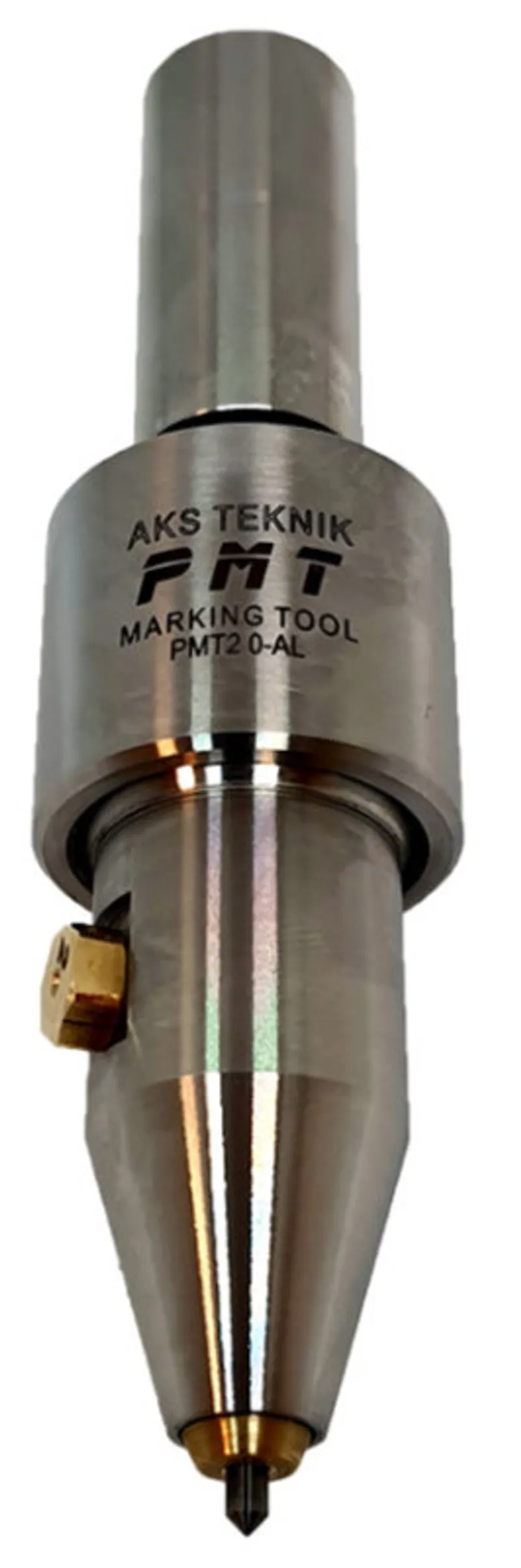
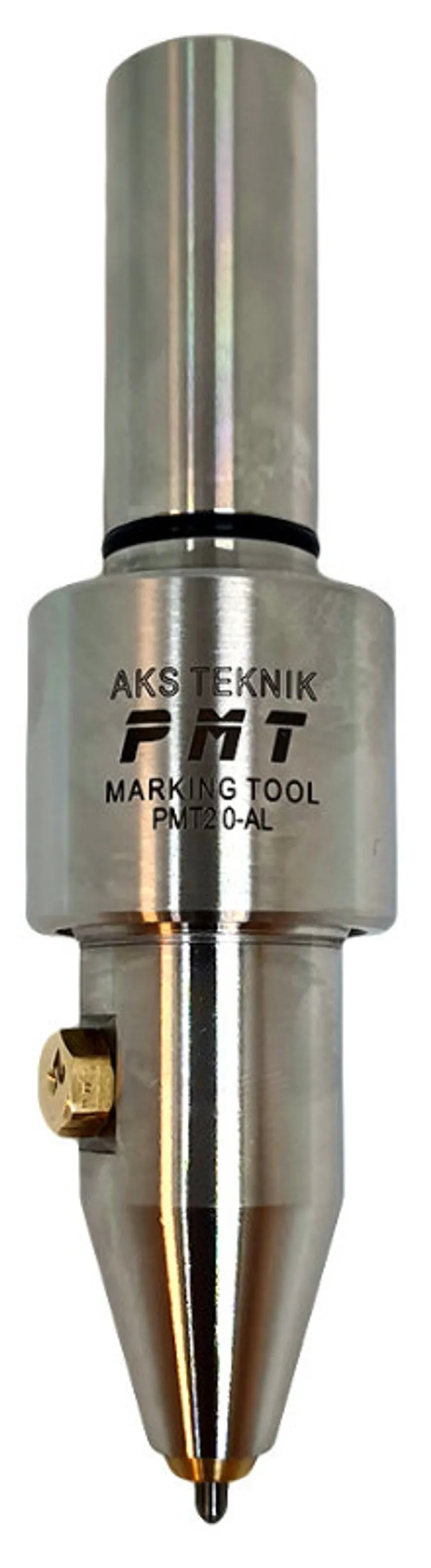
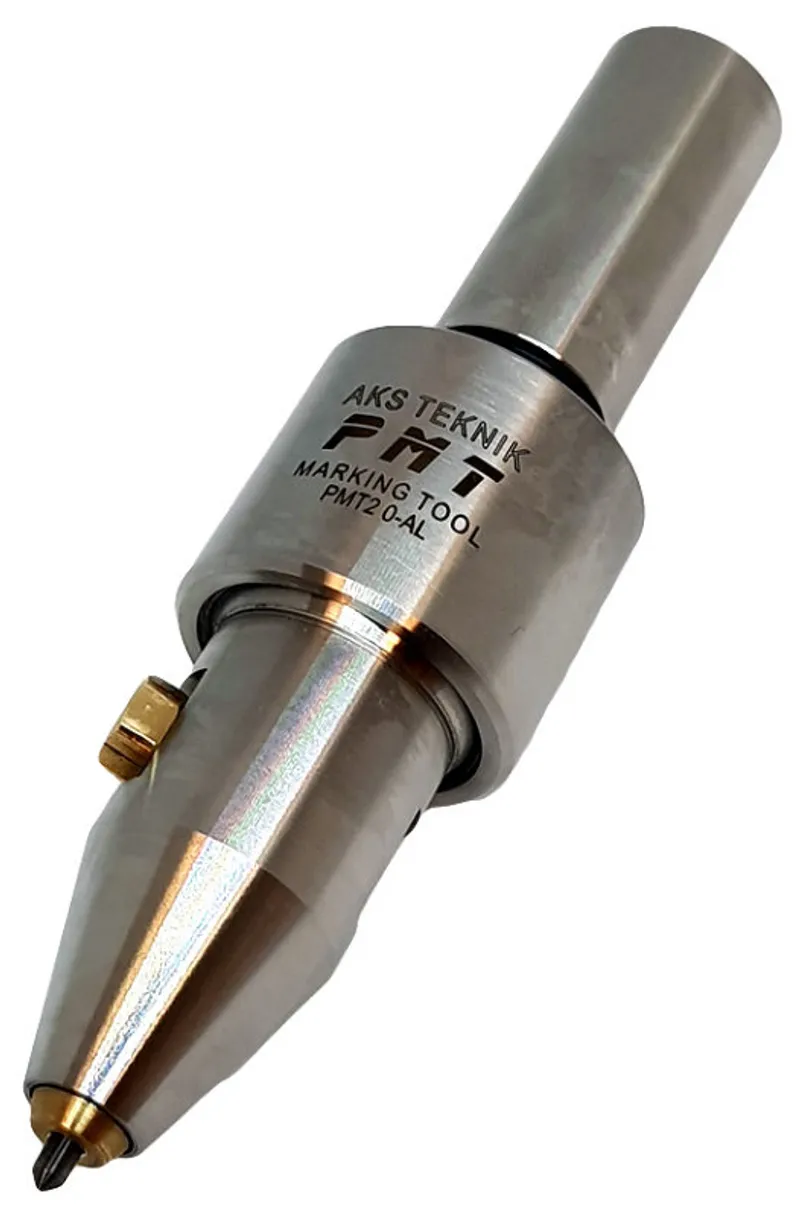
Product Photos
PMT20AL Up Close
Advantages
Key Advantages
- No separate marking step — marking is integrated into the CNC programme; every workpiece is marked automatically during production, eliminating manual handling, transport, and intermediate storage
- No material weakening — micro-percussion compresses the surface without severing material fibres; no notch effect, safe for thin-walled and safety-critical components
- Automatic distance compensation — standard 3 mm, up to 5 mm with exhaust screw change; consistent marking depth on curved, rough, and cast surfaces without programme adjustment
- Virtually wear-free carbide needle — needle can be re-sharpened and replaced; maintenance-free operation with no consumable costs during normal use
- 100% traceability — individual serial numbers, date codes, machine codes, and production data on every single part; meets aerospace (AS9100) and automotive (IATF 16949) traceability requirements
- Two air inlets — rear or lateral — G 1/8" connection from rear or side; fits any machine configuration without additional adapters or installations
- All CNC systems compatible — works with Siemens, Heidenhain, Fanuc, and all other CNC controls; uses standard engraving cycles for programming
- Fast marking speed — approximately 1 second per character at F2000 mm/min feed rate; minimal impact on total cycle time
Specifications
Technical Specifications
| Parameter | Value |
|---|---|
| Order Code | 61.420.00 |
| Marking principle | Micro-percussion (dot peen) — air-driven needle oscillation |
| Air pressure | 5–8 bar |
| Air connection | G 1/8" — rear (axial) and side (lateral) |
| Needle frequency | ~300 Hz (standard #3 exhaust screw) |
| Distance compensation | Standard 3 mm, up to 5 mm (via exhaust screw selection) |
| Exhaust screws | 5 sizes (#1–#5): #1 = min. compensation / highest frequency, #5 = max. compensation / lowest frequency. #3 = standard |
| Max. marking depth | ~0.2 mm (material dependent) |
| Marking surface hardness | Up to 60–62 HRC |
| Feed rate | F2000 mm/min (adjustable) |
| Marking time | ~1 second per character |
| Min. font size | 1 mm |
| Spindle speed | 0 rpm (spindle stopped) |
| Marking needle | Carbide, 90° tip, 0.3 mm radius (custom tips available on request) |
| Shank | Ø20 mm Weldon |
| Body diameter | Ø34 mm |
| Rear section diameter | Ø24 mm |
| Needle tip diameter | Ø7.6 mm |
| Tool length extension (air on) | 3–4 mm (varies with exhaust screw) |
| Weight | |
| CNC compatibility | All systems — Siemens, Heidenhain, Fanuc, etc. |
| Maintenance | Maintenance-free; needle re-sharpenable and replaceable |
How to Use
Setup and Operating Instructions
- 01
Install in CNC machine
Mount PMT20AL in a collet chuck or Weldon tool holder (Ø20 mm shank) and place it in the automatic tool change magazine. Connect the compressed air supply (5–8 bar) to the G 1/8" port — use either the rear (axial) or side (lateral) connection depending on your machine layout.
PMT20AL Needle Oscillation - 02
Set the initial marking position
Position the marking needle 5 mm away from the workpiece surface. Activate the air supply and run the marking programme. No marking should be visible at this distance — if marking appears, either reduce air pressure or replace the yellow exhaust screw with a smaller unit.
- 03
Find the correct depth
Advance the tool 0.5 mm closer to the workpiece (4.5 mm total) and run the marking cycle again. Repeat in 0.5 mm increments until marking becomes visible. Then advance one final 0.5 mm to ensure marking is complete and well-formed. Minimum safe distance is 1 mm from the workpiece surface — if no marking is visible at 1 mm, stop and increase air pressure or readjust the exhaust screw.
- 04
Optimise approach speed
Approach the marking position at maximum rapid traverse speed. This minimises the "first-dot-deeper" effect: when the machine transitions from rapid approach to marking feed, the needle hits the same point multiple times if the transition is slow. Fast approach reduces this dwell and produces even character starts.
- 05
Run production
Once set up, PMT20AL marks each workpiece automatically within the CNC cycle. The marking programme is part of the machining programme — no separate operation, no operator intervention. Every finished part leaves the machine with the correct marking applied. If the exhaust screw is changed, the marking position must be re-calibrated following the same procedure.
Applications
Industries & Use Cases
Aerospace & Defence
Serial numbers, part IDs, and production data on turbine blades, structural components, and flight-critical parts. Dot peen marking meets AS9100 traceability requirements without weakening the material structure — no fibre damage, no notch effect.
Automotive
Engine blocks, transmission housings, brake components, and safety-critical parts. Individual marking with serial numbers and date codes ensures 100% traceability through the supply chain — IATF 16949 compliance.
Hydraulics & Pneumatics
Valve bodies, manifolds, cylinder heads, and pump housings. Marking on both machined and rough cast surfaces — the automatic distance compensation handles surface height variations without programme changes.
General Manufacturing
Job shops and contract manufacturers marking individual parts, small batches, and large production runs. Since marking is integrated into the CNC programme, there are no setup costs per batch — even single parts benefit from automatic marking.
Marking capabilities: alphanumeric text, serial numbers, date/time stamps, machine codes, manufacturer logos, part codes, Data Matrix codes, and any freely programmable marking contour. Marking position, size, and content can be changed between parts without any mechanical adjustment.
FAQ
Frequently Asked Questions
-
What is dot peen marking and how does it work?
Dot peen marking (also called micro-percussion marking) uses a carbide-tipped needle that oscillates vertically at high frequency, creating a series of closely spaced indentations on the workpiece surface. Unlike engraving, which removes material, dot peen marking compresses the material — no chips, no fibre damage. The individual dots are placed so close together that the result appears as a continuous line. On the PMT20AL, the needle is driven by compressed air and oscillates at approximately 300 Hz (with the standard #3 exhaust screw). Movement across the marking surface is controlled by the CNC machine axes — the tool spindle remains stopped during marking.
-
What materials can the PMT20AL mark?
PMT20AL can mark virtually all machinable metals with surface hardness up to approximately 60–62 HRC — including steel, stainless steel, cast iron, aluminium, brass, copper, and titanium. The micro-percussion process works by material compaction, so it is effective on both soft metals and hardened workpieces. Marking is also possible on rough cast surfaces, unmachined areas, and heat-treated parts.
-
Can the PMT20AL mark curved or uneven surfaces?
Yes. PMT20AL has built-in automatic distance compensation — the needle mechanism adjusts to variations in the marking surface height during operation. Standard compensation is 3 mm, extendable up to 5 mm by fitting a different exhaust screw. This means the tool produces consistent marking depth even on curved, round, uneven, or rough cast surfaces without any Z-axis adjustment in the CNC programme.
-
Does dot peen marking weaken the workpiece?
No. Unlike engraving or laser marking, the dot peen process does not remove material — it creates a fine punctual compaction. The material fibres are compressed, not severed. This means there is virtually no reduction in structural strength, no notch effect, and no fibre damage. PMT20AL is suitable for marking thin-walled workpieces and safety-critical components where material integrity must be preserved.
-
What air pressure does the PMT20AL require?
PMT20AL requires compressed air at 5–8 bar. Air is connected via a G 1/8" port — available from both the rear (axial) and the side (lateral) of the tool body, giving flexibility for different machine configurations and tool magazine positions. The marking depth is influenced by air pressure — higher pressure produces deeper marks. No coolant or lubrication is required for the air supply.
-
How is the marking programmed on a CNC machine?
Marking with PMT20AL follows the same principle as engraving — the marking contour is moved by the CNC machine axes while the tool spindle remains stopped (0 rpm). The marking pattern is programmed directly in the part programme, at the CAD/CAM station, or using dedicated marking software. PMT20AL is compatible with all CNC control systems including Siemens, Heidenhain, Fanuc, and others. Standard engraving cycles (e.g. Siemens Cycle 60) can be used for programming the marking path.
Videos
PMT20AL in Action
Downloads
Technical Documents
Related Products
Other Marking Tools
Looking for the right marking solution for your CNC machine?
Our engineers will help you choose the best marking method — dot peen, scratch or hydraulic — for your material, depth and cycle time requirements.
Contact Us